FAQ: I have new data. How do I use it to verify my connections Immediately?
If you have an Amazon S3 integration or an Excel File integration created on Odyssey, and you would like to immediately use that data to verify your connections. Please follow these steps;
1. Amazon S3 Integration
To run your verification:
1. Navigate to the Analytics from the home page
2. Navigate to the Data Integrations tab
2. Locate the Integration you would like to run data for
3. From the Actions Column (second column on the page), click on the asterisk (...) to reveal more actions
4. Click on the 'Run' option.
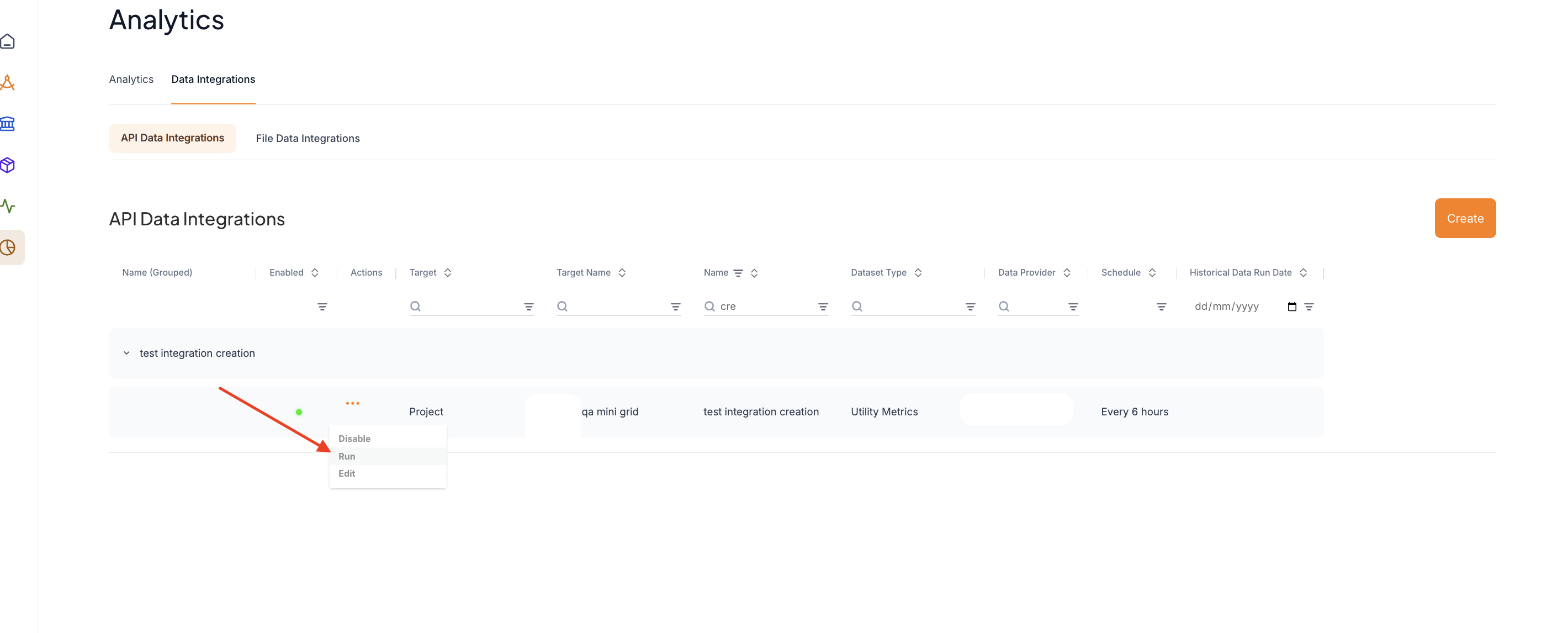
After a few minutes, navigate back to your connections and rerun verification for them.
1. Navigate to the Analytics from the home page
2. Navigate to the Data Integrations tab
2. Locate the Integration you would like to run data for
3. From the Actions Column (second column on the page), click on the asterisk (...) to reveal more actions
4. Click on the 'Run' option.
After a few minutes, navigate back to your connections and rerun verification for them.
2. Google Sheet Integration
If you have a Google Sheet integration and you have just uploaded your file. Please follow these steps
1. Navigate to the Analytics tab from the home page
2. Click on Data Integrations > File Data Integrations
3. Locate your file upload
3. Click on the Rerun option
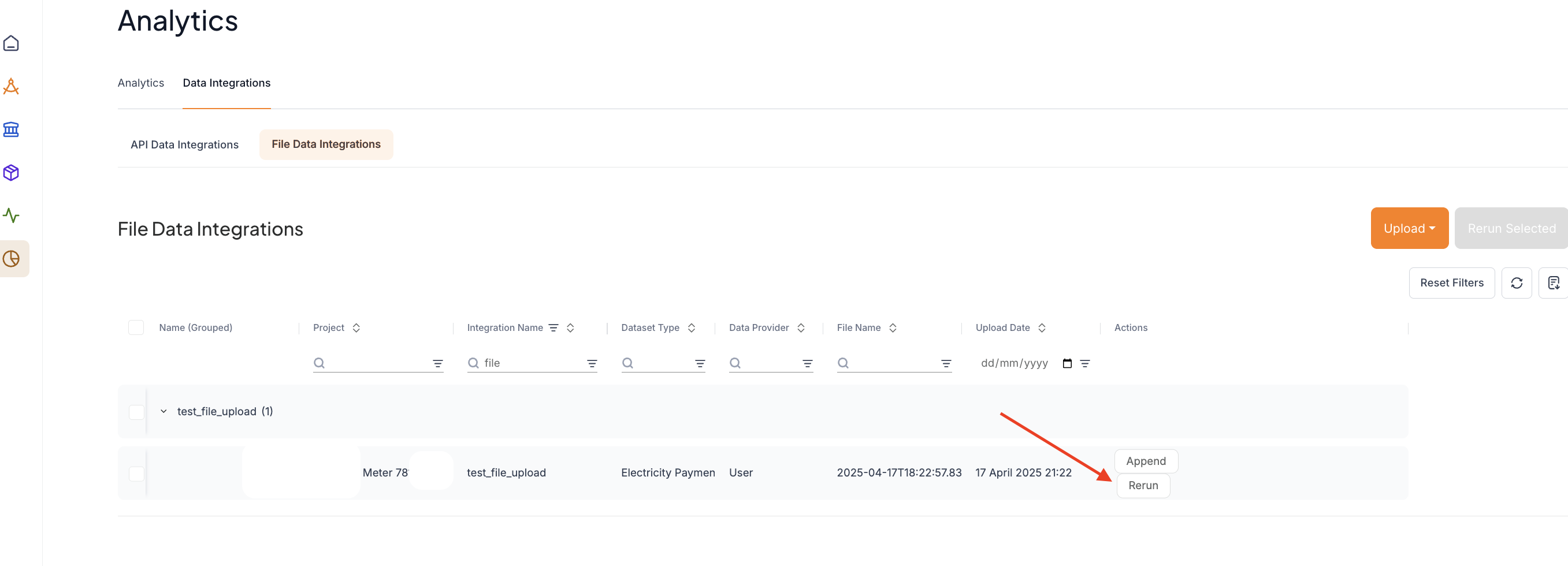
4. Navigate back to your connections and rerun verification for them.
If you have any questions after doing this, please reach out to the Odyssey support team for further assistance.
1. Navigate to the Analytics tab from the home page
2. Click on Data Integrations > File Data Integrations
3. Locate your file upload
3. Click on the Rerun option
4. Navigate back to your connections and rerun verification for them.
If you have any questions after doing this, please reach out to the Odyssey support team for further assistance.